Lightners Live
A downloadable game for Windows
NOTE: This is a non-commercial fangame of Deltarune. I don't own any of the sprites (except for the 🚫 icon on the character select screen, I made that), sounds, or music used in the game. If you haven't played Deltarune, you should! It's a great game (one of my favorite games ever, I like it more than even my own game), and the first two chapters are free!
About
I've seen a few recreations of this minigame before, but they weren't very accurate (and weren't multiplayer). So I decided to make one myself! It's still not entirely accurate (and it has some intentional changes, like multiplayer), but I still hope it's good enough.
How to play
If you've played Deltarune Chapter 3, you should know how to play this already. If for some reason you haven't... well first of all, you should. But here's how to play anyway:
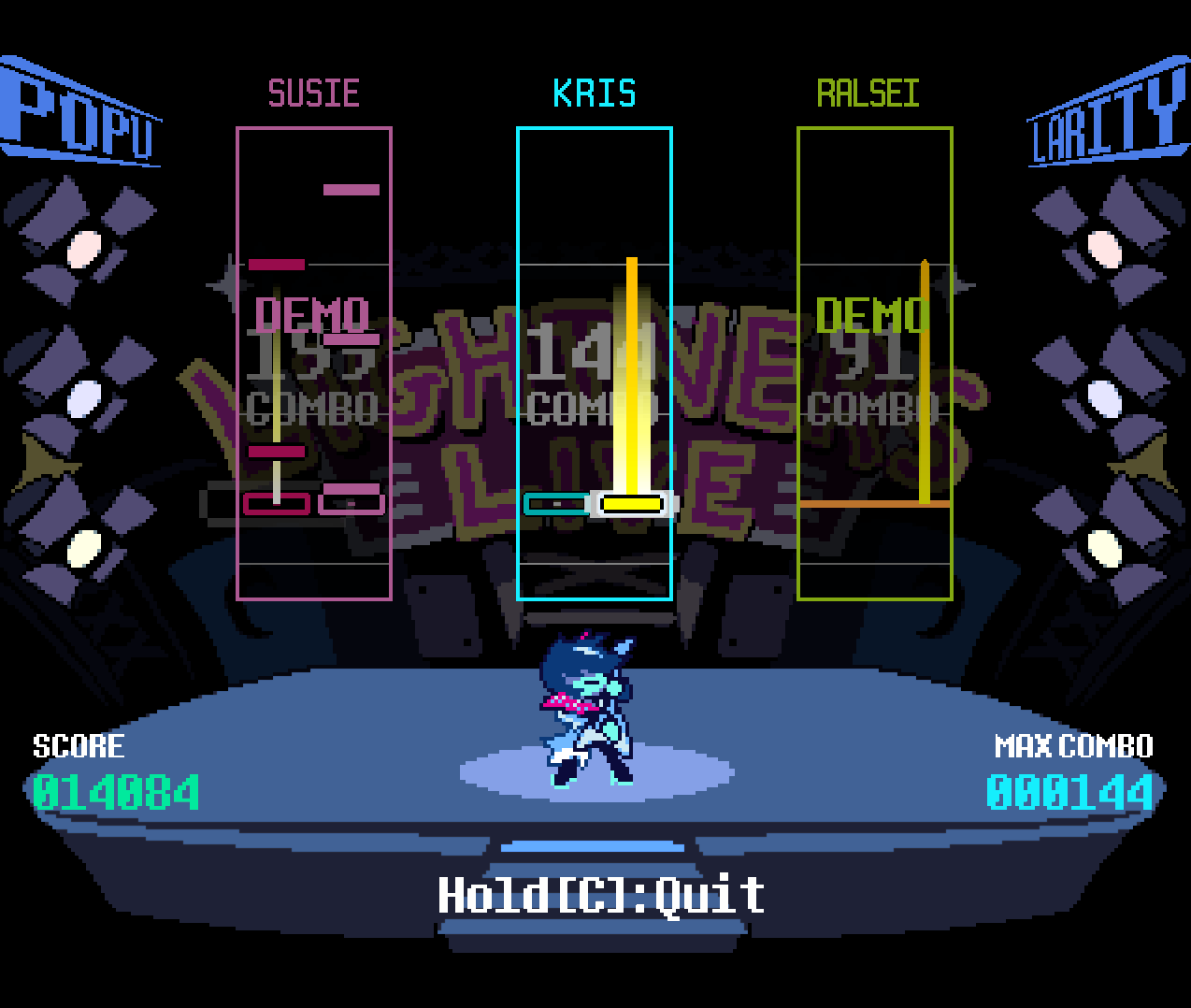
- Play the notes that come down as they reach the buttons. Kris and Susie have two lanes, left and right, while Ralsei has three, as well as a special "big" note that has its own button you need to press. If a note has a trail above it, hold the button until the note is gone. You can play multiple notes at the same time, you don't need to let go of the first button you pressed! Controls are listed below in the Multiplayer section.
- The POPU and LARITY lights show how well you're doing. If the lights are flashing bright colors, your popularity is maxed out. If it's cyan, you're doing good. Blue is decent, purple is bad, and red means really bad. If the lights go out, you get muted, and if you're the only player left (or you're playing alone), the music stops and you have to restart the song (or quit). The top two lights show Kris's popularity, the middle two show Susie's, and the bottom two show Ralsei's.
- Hard Mode shortens the window to hit notes (as well as the window for Gold Notes) and there's a penalty for playing notes too early, but when your Popularity is full (if the lights on the side for your character are flashing)
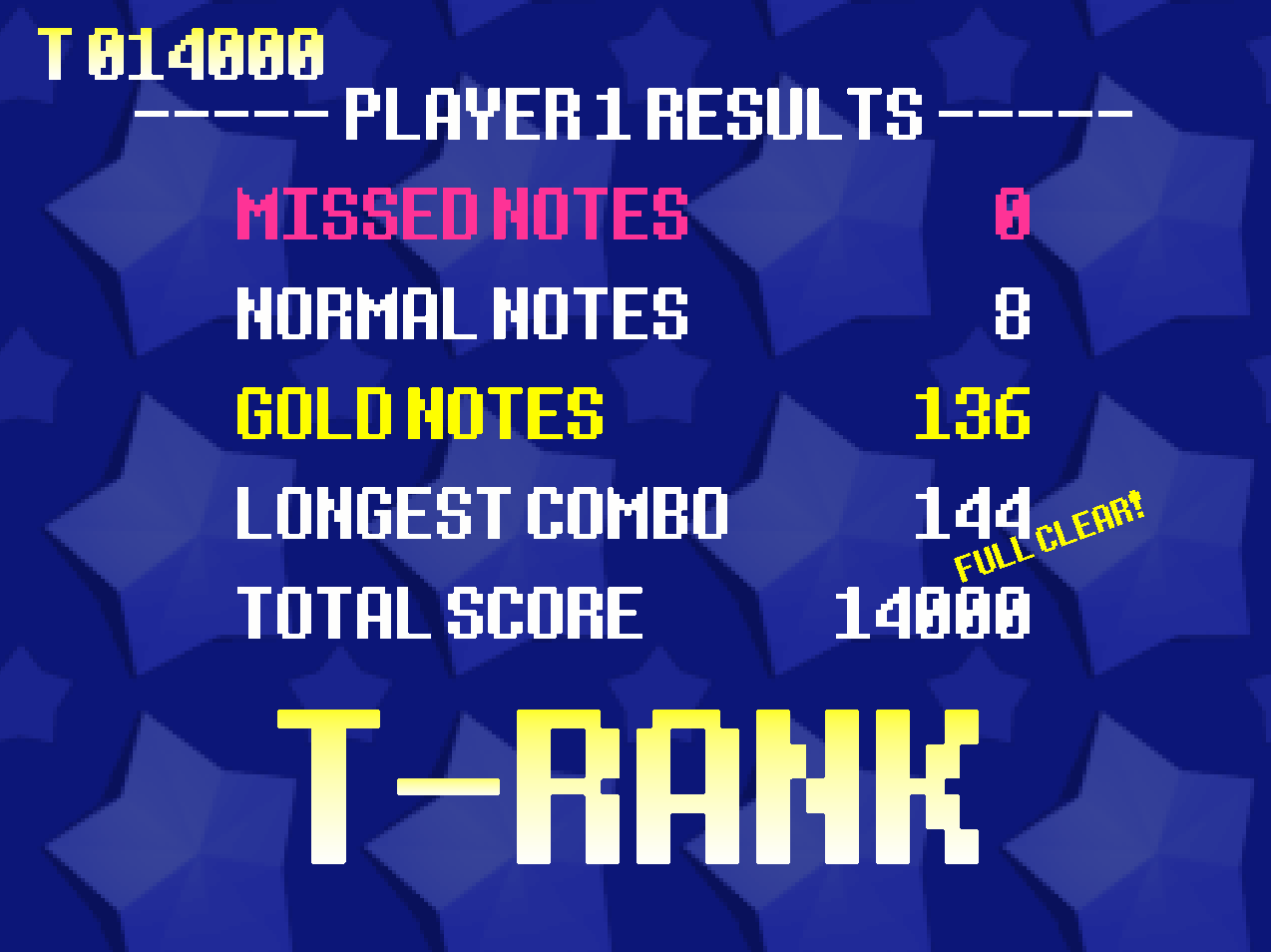
- About the results:
- Missed Notes is the number of notes you missed.
- Normal Notes is the number of notes you played, but slightly early or late. 50 points each.
- Gold Notes is the number of notes you played almost perfectly. 100 points each.
- Longest Combo is the highest number of notes you played in a row before missing one.
- Total Score is self-explanatory. It's your total score. The score adding up can take a while, but you can press C or Control to skip it.
- The rank you get is based on the amount of points you got divided by the total number of points you can get in the song. The table below shows each rank requirement.
| T | > 90% accuracy |
| S | > 80% accuracy |
| A | > 70% accuracy |
| B | > 60% accuracy |
| C | > 45% accuracy |
| Z | < 45% accuracy |
| ? | Perfectly match any above rank requirement |
| No Rank | 0 notes played |
Songs
Currently (as of v1.0.0), the songs included are:
- Sound Check
- Field of Hopes and Dreams
- Raise Up Your Bat
- It's TV Time!
- Knock You Down!!
- Ruder Buster
- A DARK ZONE
- 4rd Sanctuary
- Flower Man
Also, there's 'MIKE, the BOARD, please!' for the title, 'And Now For Today's Sponsors...!' if the game can't find the selected song.
Multiplayer
After you select a song, you can choose which players control which characters. Two players can't control the same character, and there's no direct controller support yet. I would recommend using multiple keyboards, or a program like Antimicro (to bind controller buttons to keyboard keys).
Player 1 uses the arrow keys (left for left notes, right for right notes, middle for Ralsei's middle notes, up for Ralsei's big notes), player 2 uses WASD (A=left, D=right, S=middle, W=big), and player 3 uses IJKL (J=left, L=right, K=middle, I=big)
In the menus, both the arrow keys and WASD work. Press Z or Enter to select a button, and X or Shift to go back to the song selection screen if you're on character selection.
Editor
There's a chart editor built-in, and you can add your own songs too! Here is a guide on how to add songs.
Importing songs
You can easily import songpacks other people made (or the default songpack in case there's an update to that) to play more songs. Open the game, and in the main menu, click Import. Choose the folder that was in the songpack zip file. If it's still zipped, you need to extract it first. If the song list refreshed and you can see the new songs, it (probably) worked!
Credit to Toby Fox for making the wonderful game that is Deltarune.
Download
Install instructions
- Download Lightners Live. Default Songpack is not the game.
- Once it's downloaded, extract the zip file to where you would like the game to be located
- Optionally, create a shortcut for Lightners Live.exe
- Run Lightners Live.exe or the shortcut if you made one
- If it says "Windows protected your PC", click "More info" and then "Run Anyway"
- That's literally it, there's no more steps
Sorry Mac and Linux users, there's not a version of the game for your operating systems yet. If you want to help to test it on your OS, you can DM me on Discord.
Leave a comment
Log in with itch.io to leave a comment.